

檢查 GeoJSON 檔案的細節
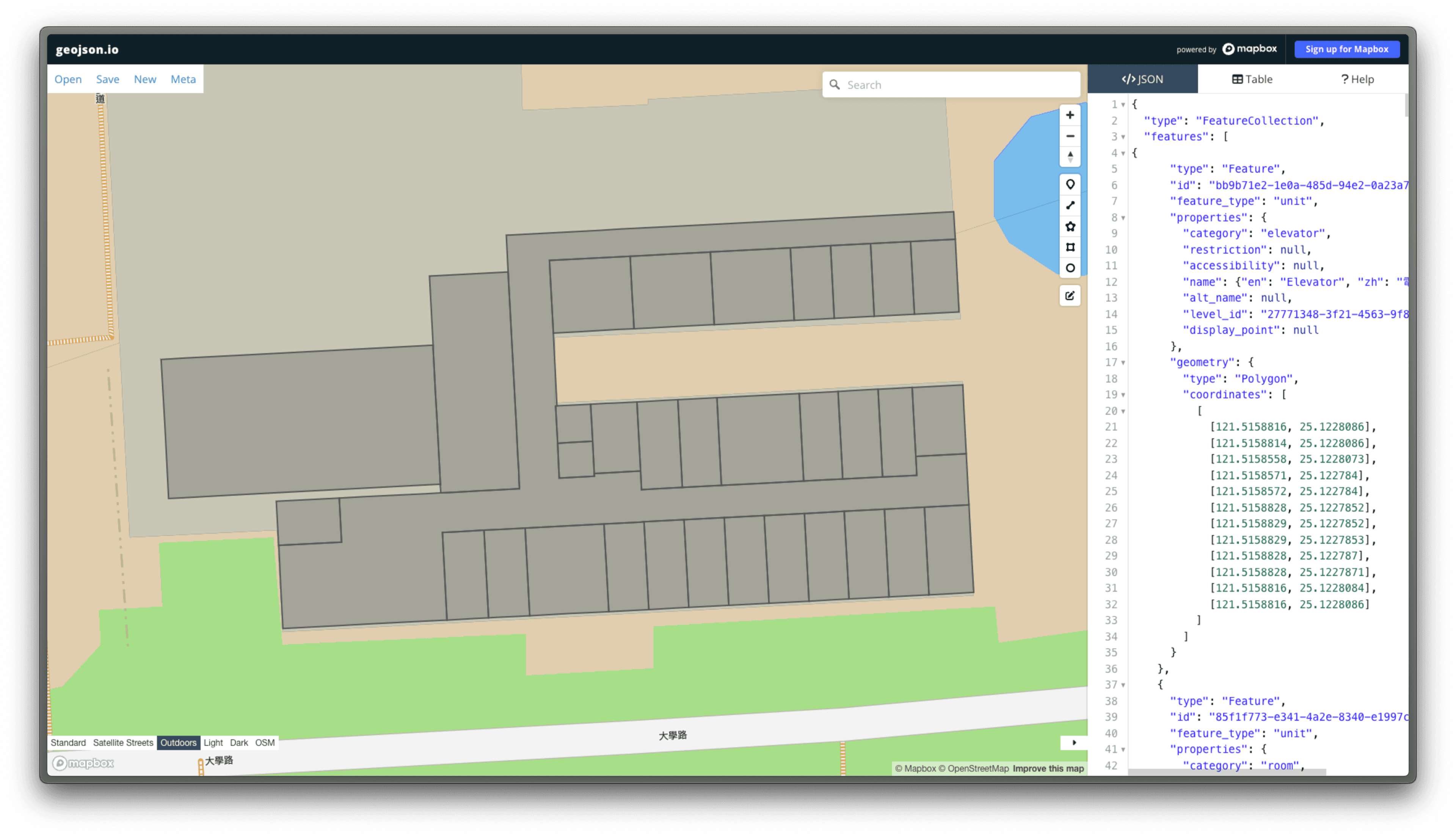
使用 geojson.io 來檢查 ChatGPT 輸出的 GeoJSON 檔案的細節
使用 geojson.io 檢查檔案
一般來說在 ChaGPT 處理完後,我們會得到一個 GeoJSON 檔案,這個檔案是一個個的 polygon,但是有些時候會少辨識到幾個 polygon,因此這時候我們就需要使用 geojson.io 來比對這些細節是否跟原圖一樣。
{
"type": "FeatureCollection",
"features": [
{
"type": "Feature",
"id": "polygon/1",
"properties": {
"id": "polygon/1"
},
"geometry": {
"type": "Polygon",
"coordinates": [
[
[121.51585576187, 25.12280734062],
[121.51588158151, 25.12280856371],
[121.51588293238, 25.12278518661],
[121.51585711274, 25.12278396352],
[121.51585576187, 25.12280734062]
]
]
}
},
{
"type": "Feature",
"id": "polygon/2",
"properties": {
"id": "polygon/2"
},
"geometry": {
"type": "Polygon",
"coordinates": [
[
[121.51577082241, 25.12274772282],
[121.51580148958, 25.12274917554],
[121.51580487456, 25.12269059823],
[121.51577420739, 25.12268914551],
[121.51577082241, 25.12274772282]
]
]
}
},
{
"type": "Feature",
"id": "polygon/3",
"properties": {
"id": "polygon/3"
},
"geometry": {
"type": "Polygon",
"coordinates": [
[
[121.51564830902, 25.12276841409],
[121.51569480425, 25.12277061659],
[121.51569650191, 25.12274123847],
[121.51565000668, 25.12273903597],
[121.51564830902, 25.12276841409]
]
]
}
},
// ...
]
} 當我們比對完後,就可以將這個 GeoJSON 檔案轉換成 IMDF 格式的 GeoJSON 檔案。