

amenity
撰寫 amenity.geojson
amenity.geojson 是一個包含地址資訊的 GeoJSON 檔案,會在地圖上以 POI 的方式呈現,在空間中是一個點並且透過 unit_ids 去關聯所在的 unit,因此只需要填入該點的資訊即可。
要注意填寫的欄位包含以下幾個:
| Prop | Type | Default |
|---|---|---|
geometry? | point | e.g. [121.5161166, 25.1228218] |
unit_ids? | string | e.g. "b2c99096-281b-4d6e-b8c9-8042a264609b" |
coordinates? | array | e.g. [121.5158815, 25.1228118] |
website? | string | null |
phone? | string | null |
hours? | string | null |
name? | string | e.g. { "en": "restroom", "zh": "廁所" } |
category? | string | e.g. restroom, elevator, etc. |
id? | string | uuid v4 |
{
  "type": "FeatureCollection",
  "features": [
    {
      "type": "Feature",
      "id": "6053fe47-eed3-4fdd-bb90-9dac2799749f",
      "feature_type": "amenity",
      "properties": {
        "category": "restroom.female",
        "accessibility": null,
        "name": {"en": "Female Restroom", "zh": "女廁"},
        "alt_name": null,
        "hours": null,
        "phone": null,
        "website": null,
        "unit_ids": ["5f9a3d0a-de6d-4e8d-ac60-37f600ba489f"],
        "address_id": null,
        "correlation_id": null
      },
      "geometry": {
        "type": "Point",
        "coordinates": [121.5161166, 25.1228218]
      }
    },
    // ...
  ]
}
如何標記 amenity 的位置?
標記每個 amenity 的位置,我們使用 geojson.io 來標記,並且將標記的點的座標填入 coordinates 欄位中。
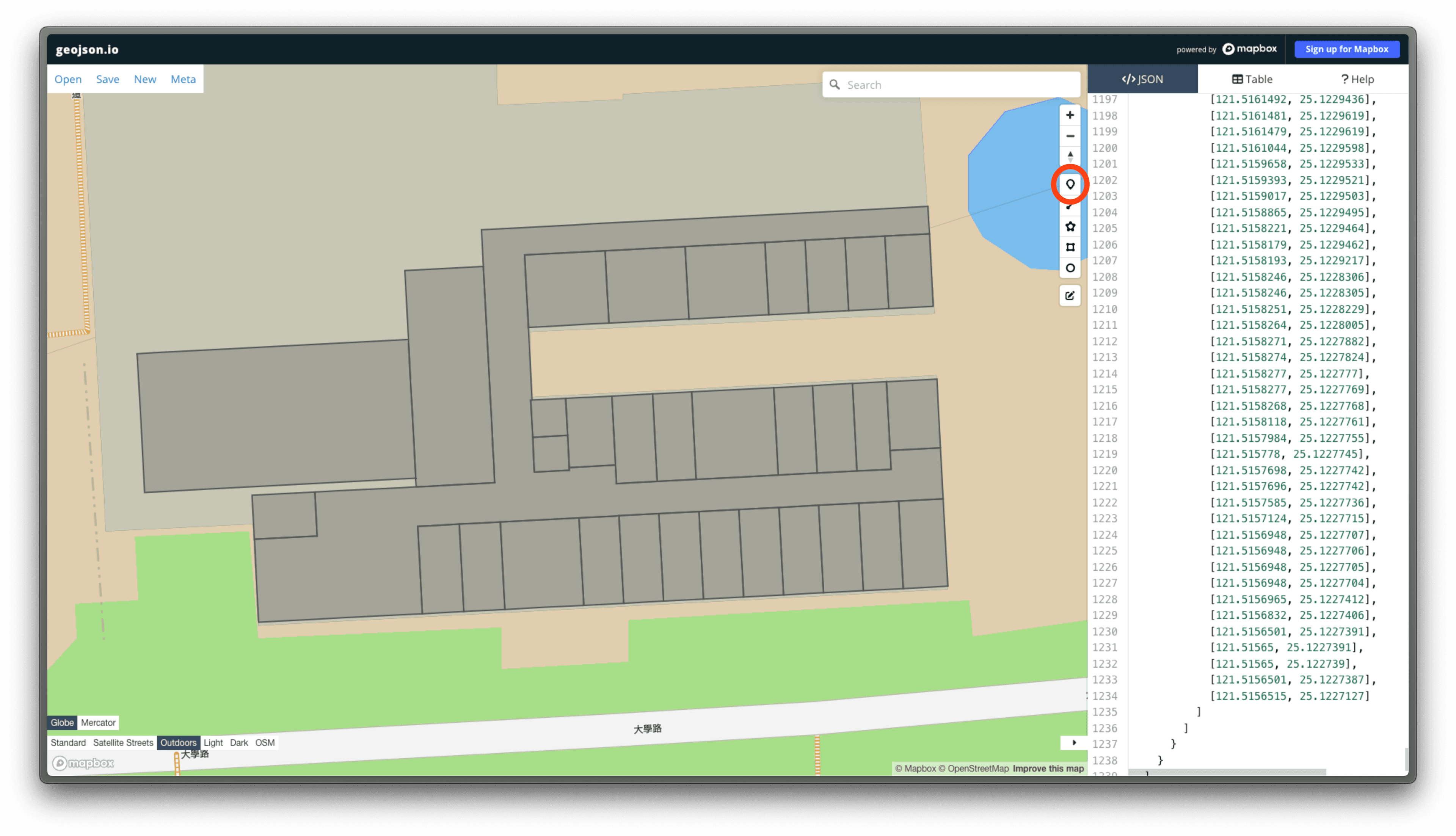
在 geojson.io 中,可以透過點工具直接點選地圖上的位置,來標記 POI 的位置。
標記完成後地圖上會看到有一個地標點,並且在左側的座標欄位中可以看到該點的座標。
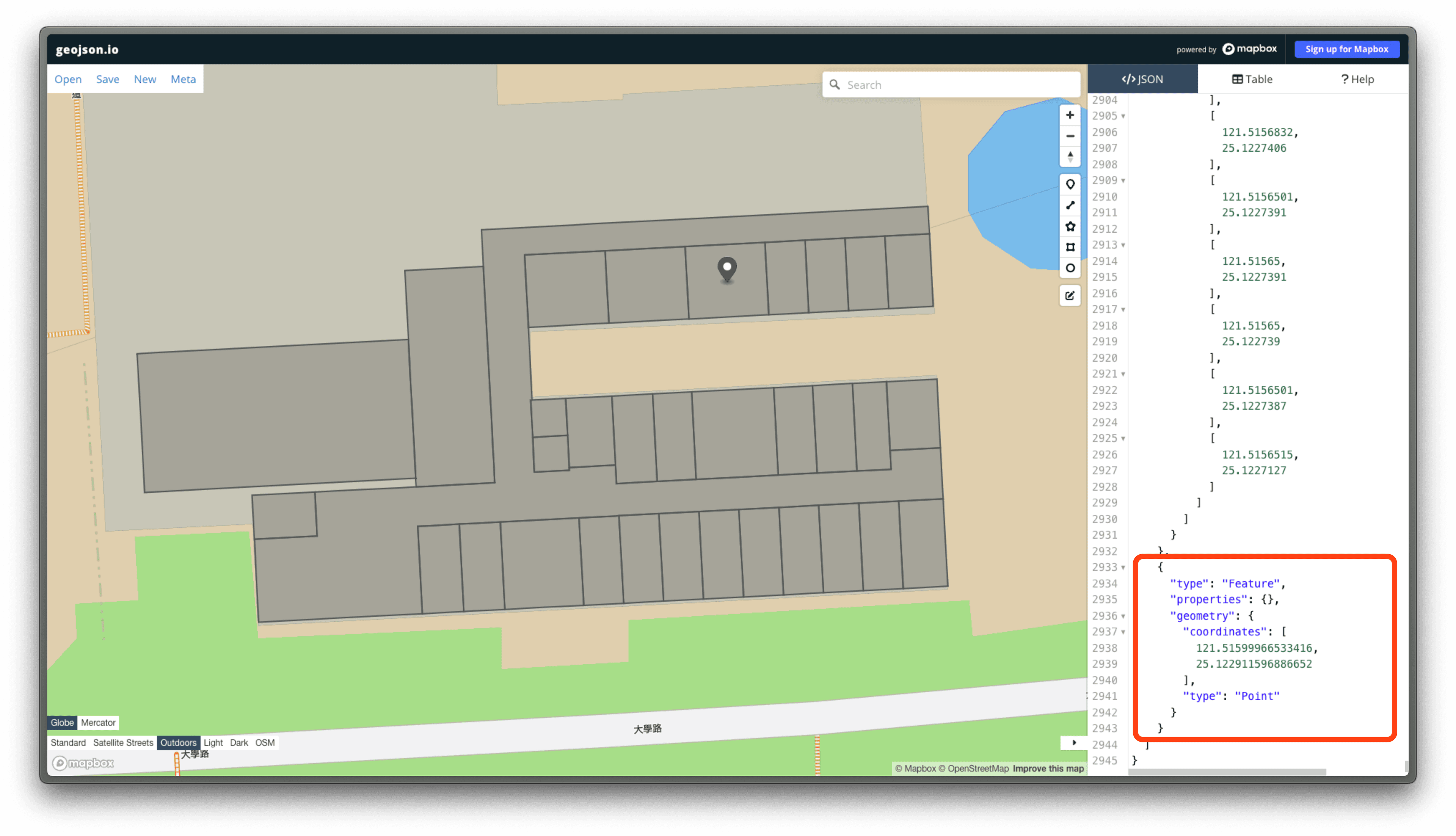
將這個座標填入 coordinates 欄位中即可。
或是計算出所屬的 unit 多邊形的中心點座標,填入 coordinates 欄位中。